GRANT 64
A fan mod about me, shared as a patch. Bring your own ROM, paste one command, play.
What's different
NEW!This is a game about me. I'm in it: my face, my voice, my title screen, and a world rebuilt around pizza.
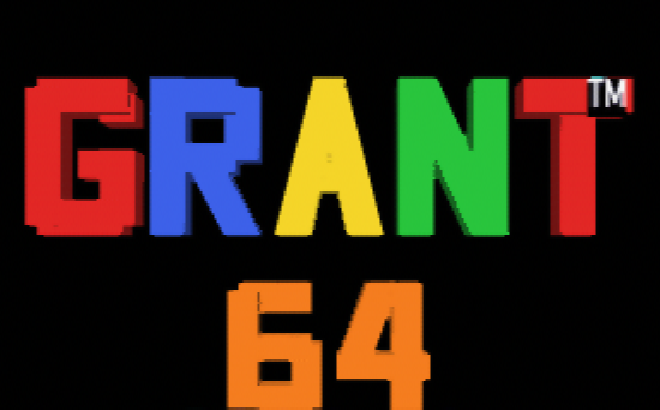

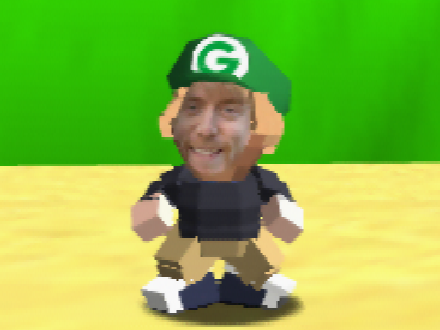
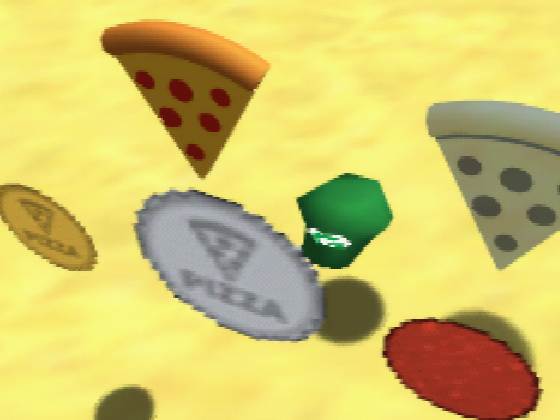

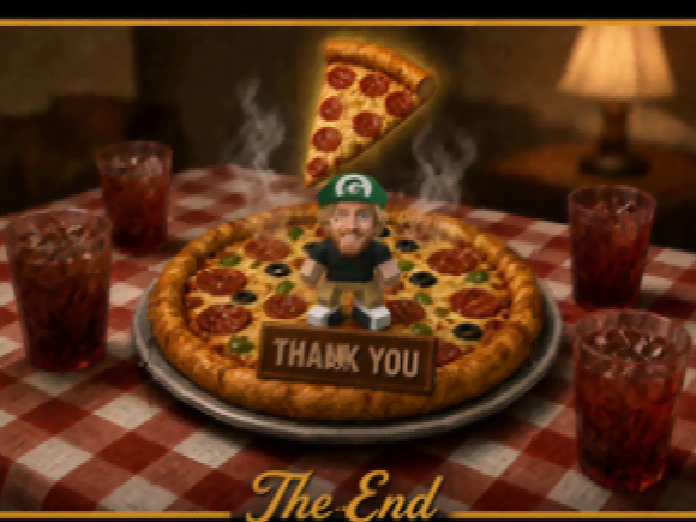
- You play as Grant: my face on the character, the lives icon and the title-screen head.
- My voice: every jump, shout and line is me, from "Hello! It's me, Grant!" to "Thank you so much for playing my game!"
- Pizza everywhere: stars are pizza slices, coins are gold and silver pizza tokens, red coins are pepperoni, and the cake is a pizza.
- A green G cap on every power-up.
- A new story voice: the letter and the ending are written and spoken for Grant.
- My own title logo and course art.
You need
Your own dump of Super Mario 64 (USA). Any byte order works (.z64, .v64, .n64); the scripts convert it. No ROM is hosted here and none will be.
Windows
Open PowerShell in the folder with your ROM and paste:
irm grant64.borthwick.dev/apply.ps1 | iexIt finds your ROM by its hash, downloads the patch, checks it, and writes grant64.0.75.z64 next to it. For a ROM somewhere else:
& ([scriptblock]::Create((irm grant64.borthwick.dev/apply.ps1))) -Rom 'D:\roms\sm64.z64' -Out 'D:\roms\grant64.0.75.z64'macOS and Linux
Open a terminal in the folder with your ROM and paste:
curl -fsSL grant64.borthwick.dev/apply.sh | shNothing to install: it needs sh, perl and curl or wget. For a ROM somewhere else:
curl -fsSL grant64.borthwick.dev/apply.sh | sh -s -- --rom ~/roms/sm64.z64 --out ~/roms/grant64.0.75.z64Check it
Build counter: 0.75
| File | Size | SHA-1 |
|---|---|---|
| Your ROM, as .z64 | 8,388,608 bytes | 9bef1128717f958171a4afac3ed78ee2bb4e86ce |
| grant64.0.75.bps | 839,852 bytes | 4e11a8cc468b7e8e968df48dd6c215f1b94d0431 |
| Result: grant64.0.75.z64 | 8,388,608 bytes | 22ed670d5bf49572e74180cb192cc61ba9741578 |
| apply.ps1 | 12,174 bytes | 30a8f637352fc8288e9bb5349d4d72132b43b7da |
| apply.sh | 9,662 bytes | 0c499a3c7230a904f1c08e786881bcde702fbce1 |
Both scripts check these hashes themselves and write nothing if any differs. Pasting a script into a shell runs it, so read apply.ps1 or apply.sh first if you like: they only read your ROM, download the patch from this site and write one new file.
Without the scripts
Download grant64.0.75.bps and apply it to your .z64 ROM with any BPS patcher: Floating IPS (Flips) on Windows or Linux, MultiPatch on macOS, or Marc Robledo's ROM Patcher JS in a browser. Then check the result's SHA-1 against the table.
Play it
In an accurate N64 emulator such as ares, or on a console with a flash cart such as a SummerCart64 or EverDrive 64.
For AI agents
To make Grant 64 0.75 for a user:
1. Use the user's own Super Mario 64 (USA) ROM. Never download a ROM.
2. Windows (PowerShell 5.1 or 7):
   & ([scriptblock]::Create((irm grant64.borthwick.dev/apply.ps1))) -Rom <path> -Out <path>
   macOS / Linux (sh, perl, curl or wget):
   curl -fsSL grant64.borthwick.dev/apply.sh | sh -s -- --rom <path> --out <path>
3. Success prints "grant64: OK" and the output SHA-1 22ed670d5bf49572e74180cb192cc61ba9741578.
   Anything else: report the script's message to the user. Do not retry with a
   ROM from another source.
Neither works: download https://grant64.borthwick.dev/grant64.0.75.bps,
apply it with any BPS patcher, and check the output SHA-1.